
Entrance videos
Make epic entrances that fill the screen as viewers walk in.

🎉 Start free: 6 hours of full access — the clock only runs while you're live
Visuals and sound for your LIVEVideo reactions and personal voices. On a TV, a projector or in LIVE Studio — no PC needed.
No card · Nothing to install
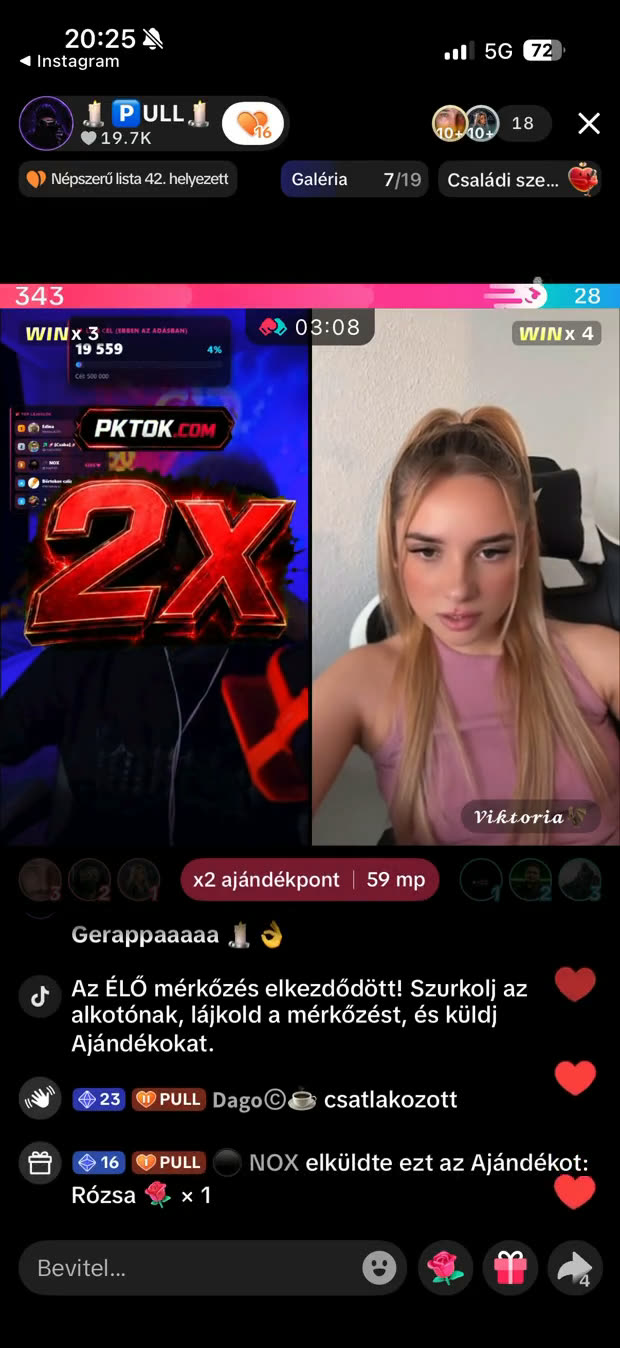
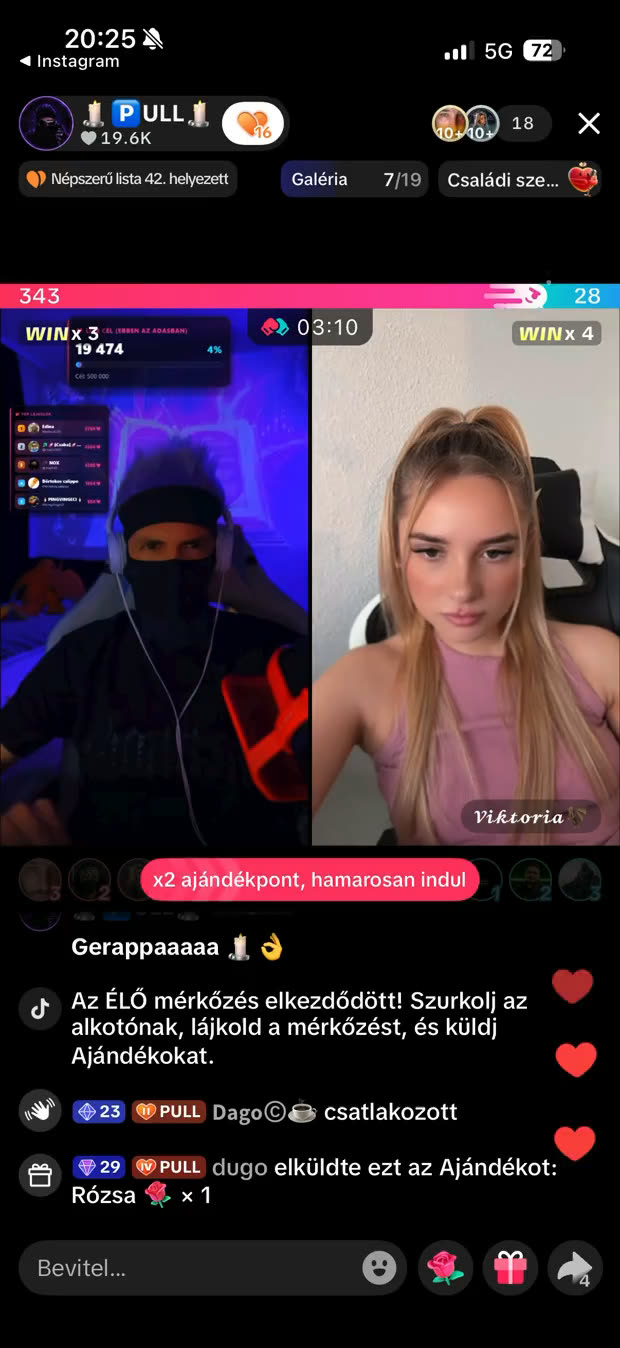
Drag the slider. This is a real TikTok LIVE screen recording: two moments a second apart, before the PKTOK video starts and while it plays on the streamer’s own picture.
Real screen recording of a live PK battle.
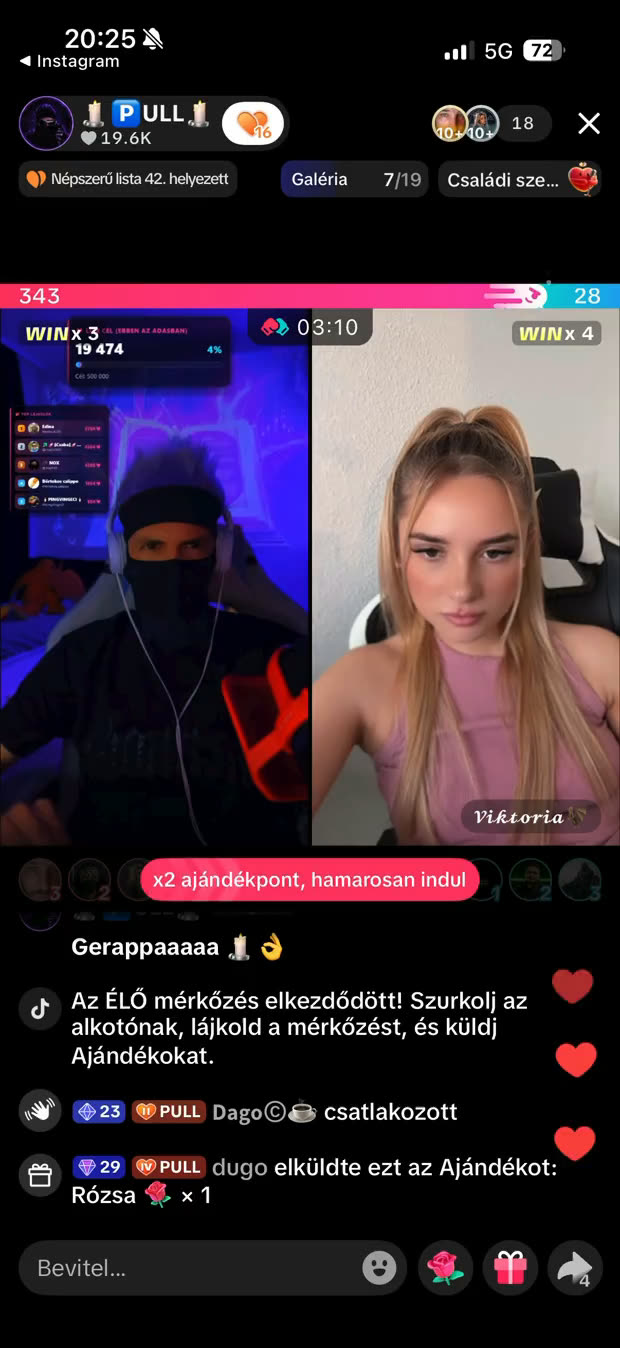
 Without PKTOK
With PKTOK
Without PKTOK
With PKTOK
Make epic entrances that fill the screen as viewers walk in.

Assign your own or a built-in clip to a gift or coin threshold — PKTOK plays it full-screen automatically.

Add hype with custom PK booster videos and animations, in real time.

Crown your top supporter with an epic full-screen MVP scene.
Tap a gift: the factory PKTOK clip plays over a real stream, the way your viewers would see it. In your own LIVE you can set your own video for any gift.
🔊 With sound — turn your volume up.
Demo: nothing is sent to TikTok, and you need no account.
Real TikTok LIVE moments recorded mid-battle — multipliers, the glove booster and entrance videos firing full-screen over the stream, exactly as your viewers see them.
Call a ×2 (or ×3) and the whole battle window counts multiplied — a full-screen multiplier video and an on-screen countdown push the room to send while the boost is hot.
The glove booster multiplies every incoming gift ×5 for thirty seconds, with its own full-screen video — the kind of momentum swing that can decide a PK.
The moment a viewer walks in, their full-screen entrance video takes over the stream — auto-queued and cooldown-paced, so it never turns into spam.
Signature guests like the Guardian arrive with their own cinematic full-screen video — no name needed, just the moment.
Enter your name, email, TikTok @name and a strong password. Confirm your email and you're in — 6 hours of full access free, no card required.
Upload your videos, assign triggers to them, and configure your overlays, widgets and projector view.
Paste the overlay links into TikTok LIVE Studio or OBS as browser sources, start the listener — PKTOK handles the rest during your broadcast.
Premium chat read-aloud, entrance voices and MVP voices. The AI writes a few sentences of praise for the MVP — by name, right there and then.
Real samples, recorded with native ElevenLabs AI voices.
⭐ Premium AI voices for the chat read-aloud run on credit: credit is for VIP subscribers, from €2.50 + VAT. It never expires, and when it runs out the read-aloud carries on in the standard voice.
No card needed.
every feature included
or €135 + VAT / year — pay for 9 months, get 12
or €180 + VAT / year — pay for 9 months, get 12
Pay yearly and we give you a quarter for your trust: pay for 9 months, get 12.
Every new account starts with 6 hours of full access, free and without a card. The hours never expire, and your account and videos are kept either way.
Prices exclude VAT. Your country's VAT is added at checkout, and you see the exact total before you pay. Example: in Hungary (27% VAT) Normal is €19.05/month and VIP €25.40/month.
⭐ AI voice credit (VIP plan only): one-time packs — 10,000 credits €2.50, 25,000 credits €6, 55,000 credits €12.50 (+ VAT) — or a free top-up: 1,000 credits €0.25 + VAT. Credit never expires; when it runs out, read-aloud continues in the standard voice. The AI MVP praise and the AI welcome use credit too.
Most tools drop a small alert box in the corner. PKTOK plays your own full-screen branded videos and is built around PK battles — booster videos and an MVP scene fire in real time during the battle, auto-queued and cooldown-paced, all from one link with no install.
Yes — that’s exactly what it’s built for. During a PK battle your full-screen booster videos and MVP scene fire in real time on the overlay, so the moments that decide a battle play out as a produced video show instead of a plain split-screen.
They let you heat up a battle on demand. Announce a ×2 or ×3 and the whole window counts multiplied; the glove multiplies every incoming gift ×5 for 30 seconds. Each one fires a full-screen video with a live countdown, so your room knows exactly when to send.
They’re extra automatic video moments. Signature guests — the Guardian and the Enigma — get their own cinematic entrance, and when a supporter reaches a new gifter level or membership tier, a full-screen level-up video celebrates them by name.
PKTOK is not a video editor and does not create videos for you: upload your own finished MP4 clips and assign them to triggers. Three built-in gift clips — Rose, Heart Me and Doughnut — are ready now, so you can test the feature without making a clip first. We are still exploring broader ready-made battle video packs.
Full-screen. Unlike generic alert tools that pop a small box in the corner, PKTOK plays your videos and animations as cinematic full-screen moments over your TikTok LIVE — for entrances, MVP scenes and battle boosters.
Assign each video a trigger: viewer entrance, new follower, a specific gift or coin threshold, MVP, PK booster, snipe or level-up. Videos play in a cooldown-paced queue, and you can also fire any clip manually. Likes are tracked in your stats and widgets, but they do not trigger a video.
No. PKTOK runs in the browser. You add each overlay element as a token-protected link that pastes straight into TikTok LIVE Studio, OBS or any streaming software — nothing to download or install.
Every new account gets 6 hours of full access for free — every feature, no credit card. The clock only runs while you’re actually live, and the hours never expire; if they run out mid-stream, you still get to finish that stream. After that you choose a plan: €15 + VAT/month (Normal) or €20 + VAT/month (VIP), or €135 and €180 + VAT per year (a quarter free for your trust: pay for 9 months, get 12). Your account and your uploaded videos stay either way — without a plan, only the overlay stops. Prices exclude VAT — your country's VAT is added at checkout, and you see the exact total before you pay.
Normal includes every feature, with a 5-hour listening window and 30 of your own videos. VIP adds an 8-hour listening window, unlimited own videos and premium read-aloud voices, starts by itself when you go live, puts a gold badge on your widgets, emails you weekly stats, and gives you priority support and early access to new features. We never cut a broadcast that is running: the window is how long we keep the connection alive in a quiet room.
Your account stays: you can log in and see your settings, your uploaded videos and your statistics. Only the overlay won’t start during a broadcast until you subscribe. Nothing is deleted — if you subscribe later, everything is exactly where you left it.
Two of them, yes. Keep two channels in one account and switch between them in a click — one channel runs at a time: when you start the second, the first stops. Each has its own slug, TikTok @name and separate video storage, so nothing bleeds across them. If you look after more hosts than that, each one needs its own account.
Add a browser-source overlay to TikTok LIVE Studio in 4 steps — in the right order — plus the 3 silent mistakes that make an overlay invisible.
Read itWhat ×2 and ×3 multiplier phases really do in TikTok PK battles, how the glove booster and the mist card work, and how streamers can read and time them.
Read itWhat is MVP in a TikTok battle? Plain-English definitions of 20 PK battle terms — snipe, booster, glove, mist, multiplier, overlay and more.
Read itTurn every moment into an epic full-screen experience.
 PKTOK
PKTOK